Account
Delete your account
You can delete your VitaliScore account and associated data from inside the app, or request deletion by email if you no longer have access.
How to delete in the app
- Open the VitaliScore app and log in to your account.
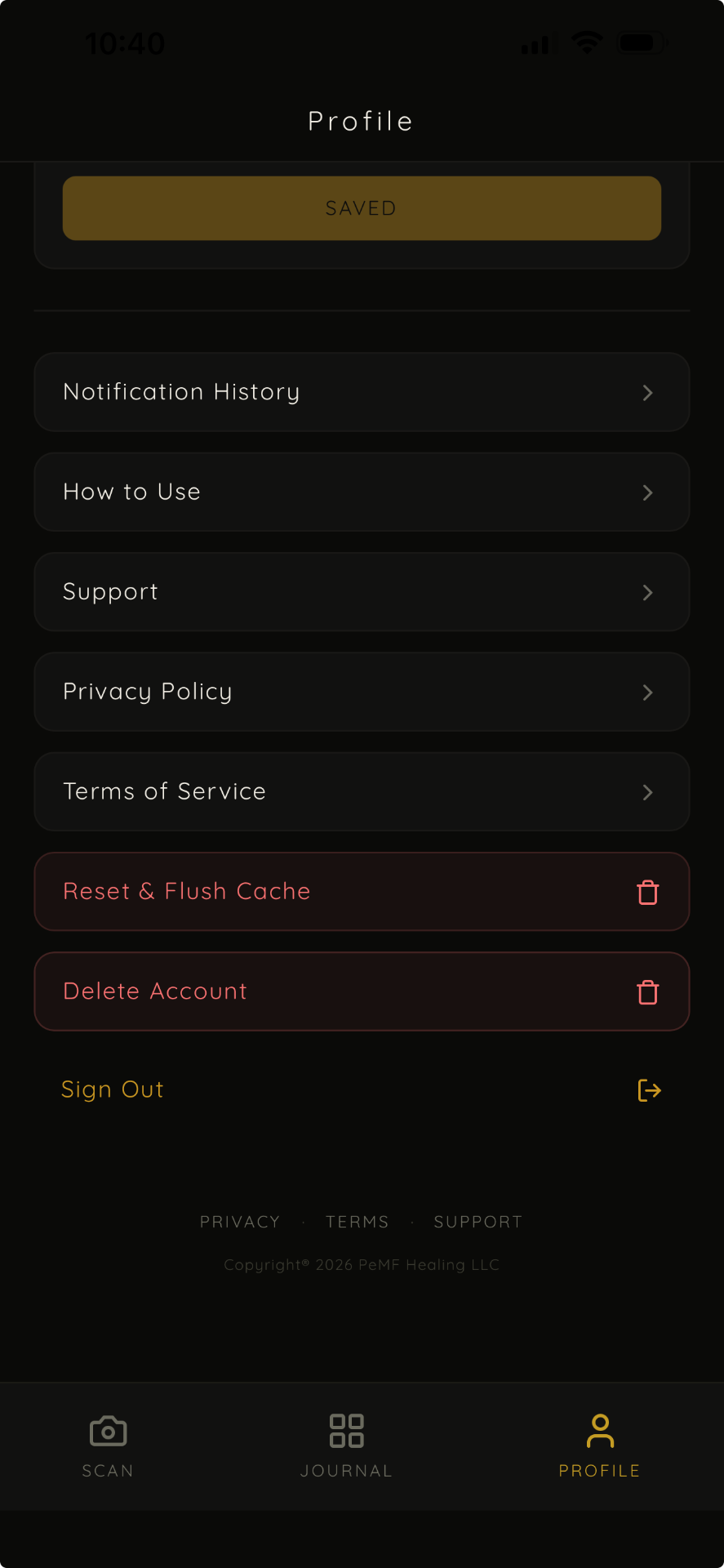
- Tap the Profile tab in the bottom navigation.
- Scroll down and tap Delete Account.
- Review the confirmation dialog explaining what will be removed.
- Tap Delete My Account to confirm, or Cancel to keep your account.
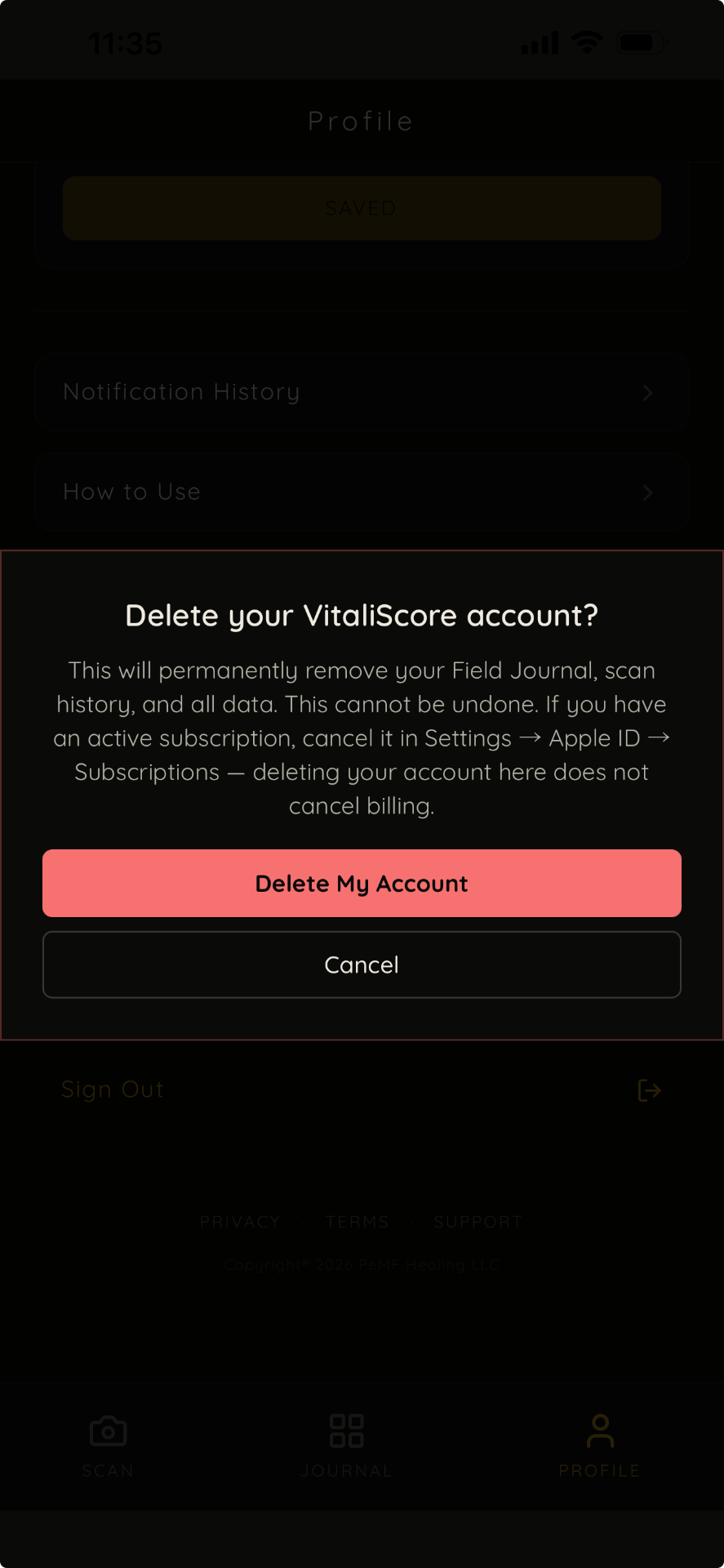
Note: if you have an active subscription, cancel it in Settings, Apple ID, Subscriptions. Deleting your account here does not cancel billing.
No app access?
If you no longer have access to the app, you can request account deletion by emailing us at info@epemf.app from the email address linked to your VitaliScore account.
What we delete
When your account is deleted, we delete your profile, authentication account, scan usage records, allergen preferences, journal entries, push notification tokens, and user-linked scan history.
What we may retain
Some limited records may be retained where required for security, fraud prevention, legal, tax, billing, or compliance reasons.
Processing time
Account deletion requests are processed within 30 days.
Contact
Questions about account deletion? Write to us at info@epemf.app.
Last updated: July 2026